
Welcome to 10 Volt Media Chicago
Do you need help with your social media marketing?
10 Volt Media is a Chicago based social media agency that helps companies and local businesses grow their social presence. We know how to get more followers, leads, and sales by implementing our expertise in the field of social media.
Our team has been working on successful campaigns for years now. We’ve helped many brands to reach new heights in their respective industries through our work with them. Let us do the same for you!
Contact us today to see what we can do for your business or company! Fill out this form to contact 10 Volt Media about your project needs today!
Clients love our work!
74 Awards
Why you should hire 10 Volt Media as your social media agency?
We help our clients grow their social presence by creating engaging content that will drive traffic back to their website and convert leads into sales.
10 Volt Media is a full service social media agency that offers everything from managing your posts to creating custom graphics for Facebook ads. Our team has over 10 years combined experience in the digital space so you’re getting an expert who knows how to get results!
We offer various social media services
Hire us
You’re looking for the best social media company? We promise you’ll be satisfied.
Get your business seen and heard today!
Instagram Engagement Campaign
Our Instagram engagement campaign will have you blooming in the city of Chicago. With constant growth and engagement, your thriving account is sure to take off!

Social Media Management
10 Volt Media helps clients build an engaged following, increasing their potential customer base by posting relevant content that reaches out to customers as well as followers of competitors in the same industry.
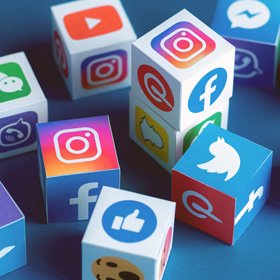
Social Media Paid Ads
With our ad campaigns, you’ll get the results that are just what your business desires. From brands awareness to lead funnels—we have got all of it! And with re-targeting ads, we’re sure they will come back for more and check out your site even further than before.
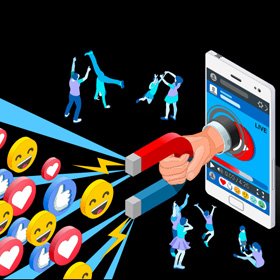
Content Marketing
We give your company the voice it needs to stick out in Chicago. We will make sure you stand out with quality content about a city that is loved by many people across Illinois and beyond.
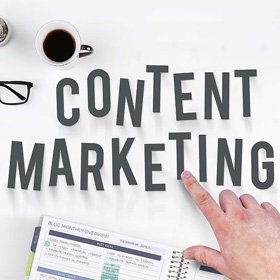
Pay Per Click Management
Get more traffic and sales in the Chicago area with a pay per click (PPC) system from our experts. Get instant results for your business with PPC optimization today!

Branding and Media
Branding is a way to create an identity for your company. It’s important that Chicago companies have a well-rounded branding and media strategy in order to succeed over their competition!

What Makes a Company Successful?
Life of Ideas
Social media is an invaluable way for businesses to connect with their customers. We carefully select which social networks we want our clients’ messages seen on, and share content that engages them in conversation – whether it’s a detailed answer to one of your questions or just a quick thank you!
Frequently asked question about Chicaco social media
Social media marketing is a term that encompasses advertising strategy developed for social networks. Social media marketing relies on the principle of interpersonal communication, which holds that two or more humans are connected via an exchange of words, sounds, or images–this connection between humans can have a measureable impact on other humans.
There are 3 types: content marketing, influencer-endorsed posts, and organic posts. Content marketing is when you create content to show up in popular places with similar audiences. These popular sites include Facebook (where users find high-quality articles), Google+, LinkedIn (a great source for resources) and Twitter (for all news updates).
There are many benefits to be found with social media. First of all, a lot of the channels enable global connections that help connect people no matter where they live and what their language may be. Whatsapp is a great example in this category because it connects as many as 1 billion people every day. These types of connection have allowed us to share ideas and experiences quicker than ever before- especially when we don’t speak the same language.
Social media also allows for governments to communicate with citizens from around the world easier too by posting messages on various sites or through blogs. This has led to more accurate information about current events becoming accessible for further reading by those who are interested but do not live in that country or region themselves.
The best social media for marketing is one that’s been proven to work for you, so it really depends on your business.
Surveys have shown that most people spend a lot of time browsing social networks before they decide to sign up or make a purchase, meaning marketing opportunities are pretty organic.
So rather than being swayed by what looks good in the moment, consider what you know about your customers and how the demographic behaves when they have made their choice. Then check out findings from surveys and analyses of these very demographics to see which networks are reaping rewards with them. Ultimately, though not strictly necessary, developing “personas” for each customer can be an informative way to really understand who might enjoy engaging with your brand.
Social media advertising is a cheap, effective way to advertise your business. Brands can use it to get their message out without the costs of traditional mass marketing and TV advertising. It also allows for instantaneous engagement with customers across different age groups, geographies and social levels.
It’s more than retaining customers or scaling up sales; it’s about growing relationships that last long term through quality content that engage your audience no matter what their interests are. Doing this will help you create engaged customer communities within your target demographic — think of them as advocates who offer recommendations to friends when they’re looking for products or places to go for entertainment in your field of expertise.